
Sensory cue timing transforms how users interact with digital products, creating seamless experiences that feel intuitive, responsive, and deeply satisfying.

🎯 The Hidden Power of Perfectly Timed Feedback
Every tap, swipe, and click in digital interfaces creates an expectation in the user’s mind. When sensory cues—visual, auditory, or haptic—arrive at precisely the right moment, they validate user actions and create a sense of control. When mistimed, even by milliseconds, they generate confusion, frustration, and abandonment.
The science behind sensory cue timing reveals fascinating insights about human perception and cognition. Our brains process different types of sensory information at varying speeds, and successful interaction design must account for these neurological realities. Visual processing typically takes 13 milliseconds, while auditory processing can occur in as little as 8-10 milliseconds. Haptic feedback registers even faster, often within 5 milliseconds.
Understanding these processing speeds allows designers to orchestrate multi-sensory experiences that feel synchronized and natural. The goal isn’t merely to provide feedback—it’s to deliver that feedback within the narrow temporal window where users perceive it as instantaneous and causally connected to their actions.
⏱️ The 100-Millisecond Rule and Perceived Immediacy
Research in human-computer interaction has established that responses occurring within 100 milliseconds feel instantaneous to users. This threshold represents a critical boundary in interaction design. When systems respond within this window, users perceive the interface as reacting directly to their commands without any intervening delay.
Beyond 100 milliseconds but under 1 second, users notice a slight delay but still feel in control of the interaction. This range works adequately for many interactions, though it lacks the seamless quality of sub-100ms responses. Between 1 and 10 seconds, users become increasingly aware of waiting, and their attention begins to drift. Anything beyond 10 seconds typically requires explicit progress indicators to prevent abandonment.
Mobile applications that master this timing principle consistently receive higher engagement metrics and user satisfaction scores. The difference between a 50-millisecond response and a 200-millisecond response might seem negligible on paper, but users perceive these interfaces as fundamentally different in quality and responsiveness.
Designing for Temporal Expectations
Different interaction types create different temporal expectations in users’ minds. A simple button press demands immediate visual feedback—typically a color change, animation, or state transition occurring within 16-33 milliseconds to align with standard screen refresh rates. Complex operations like loading content or processing transactions can tolerate longer delays, but only when appropriately communicated through progress indicators.
The key lies in matching feedback timing to the perceived complexity of the action. Simple actions need immediate confirmation. Complex processes benefit from layered feedback: an immediate acknowledgment that the action was registered, followed by progress updates, and finally completion confirmation.
🎵 Orchestrating Multi-Modal Sensory Feedback
The most compelling user experiences combine visual, auditory, and haptic cues into cohesive multi-modal feedback systems. However, successfully orchestrating these elements requires careful attention to timing relationships between different sensory channels.
Visual feedback typically serves as the primary channel for interface responses. Color changes, animations, and state transitions provide rich information about system status and available actions. These visual cues should initiate within 16 milliseconds of user input to maintain synchronization with device refresh rates and preserve the illusion of direct manipulation.
Haptic feedback adds a crucial tactile dimension that grounds digital interactions in physical reality. Vibration motors and haptic engines provide confirmation that feels embodied rather than merely observed. For maximum effectiveness, haptic pulses should coincide with or slightly precede visual changes—arriving 0-10 milliseconds before the visual update creates the strongest sense of physical connection.
Auditory cues complete the sensory triad, offering feedback that doesn’t depend on visual attention. Sound effects confirm actions, signal errors, and communicate state changes even when users aren’t directly looking at the screen. Audio should typically synchronize with visual changes, arriving within a 20-millisecond window to maintain perceptual unity.
The Synchronization Challenge
Coordinating multiple sensory channels presents technical challenges. Different output systems operate on different processing pipelines with varying latencies. Visual rendering passes through graphics processors, audio through separate sound chips, and haptics through dedicated motor controllers. Each pathway introduces potential delays.
Sophisticated applications compensate for these varying latencies by strategically timing the initiation of each feedback type. If haptic feedback requires 15 milliseconds to trigger while visual updates appear in 5 milliseconds, starting the haptic pulse 10 milliseconds earlier creates perceived simultaneity. This pre-compensation technique ensures users experience all feedback channels as unified responses rather than staggered, disconnected signals.
📱 Platform-Specific Timing Considerations
Different platforms and devices present unique timing characteristics that influence sensory cue design. Understanding these platform-specific factors helps designers create consistently excellent experiences across diverse hardware and software environments.
iOS devices generally offer highly consistent timing characteristics due to Apple’s tight control over hardware and software integration. The haptic engine in recent iPhones provides remarkably precise tactile feedback with minimal latency. Designers can rely on consistent timing behaviors across iOS devices, simplifying the task of creating synchronized multi-modal feedback.
Android presents greater variability due to the diverse ecosystem of manufacturers and hardware configurations. Response times can vary significantly between premium flagship devices and budget models. Adaptive timing strategies that adjust feedback characteristics based on device capabilities help maintain quality across this fragmented landscape.
Web applications face additional timing challenges related to browser rendering engines, network latency, and JavaScript execution environments. Progressive web apps must implement sophisticated strategies to minimize perceived latency, including optimistic UI updates, client-side prediction, and strategic preloading.
🧠 Psychological Principles Behind Timing Perception
Human perception of time in digital interfaces isn’t purely objective—it’s influenced by psychological factors including attention, expectation, and emotional state. Designers who understand these psychological principles can manipulate perceived timing to enhance user experience even when technical constraints prevent truly instantaneous responses.
The concept of “psychological time” recognizes that users’ subjective experience of duration differs from objective clock time. Engaging animations can make 500 milliseconds feel shorter than empty waiting periods of 200 milliseconds. This principle enables designers to use motion and visual interest to compress perceived duration.
Anticipation also affects timing perception. When users expect a delay—such as when uploading large files—they tolerate longer response times. Conversely, actions perceived as simple generate expectations of immediate response. Managing these expectations through appropriate visual metaphors and interface affordances helps align user expectations with technical realities.
The Power of Micro-Interactions
Micro-interactions represent small, contained product moments that accomplish a single task. These brief interactions—button presses, toggles, notifications—form the foundation of user experience quality. Perfectly timed sensory cues transform mundane micro-interactions into delightful moments that accumulate into overall product satisfaction.
Consider the simple act of favoriting an item. A basic implementation might change an icon color with no additional feedback. An expertly crafted micro-interaction combines immediate visual acknowledgment, a subtle haptic pulse, a gentle scale animation, and possibly a soft audio confirmation—all choreographed to occur within a 200-millisecond window. This multi-layered response feels proportionate, satisfying, and memorable.
⚡ Reducing Latency Through Optimistic UI Updates
When technical limitations prevent truly instantaneous responses, optimistic UI updates provide a powerful technique for maintaining perceived immediacy. This approach involves updating the interface immediately based on the expected outcome of an action, before confirming the operation actually succeeded.
Social media applications extensively employ optimistic updates. When users like a post, the interface immediately shows the like registered, even before the server confirms the action. This immediate feedback maintains the illusion of instant response despite network latency. In the rare cases where the operation fails, the interface quietly reverts the change.
Implementing optimistic updates requires careful consideration of error handling and edge cases. Designers must determine which actions warrant optimistic treatment based on their reliability and the consequences of failure. Simple, highly reliable operations make excellent candidates. Complex transactions with significant consequences require more conservative approaches with explicit confirmation.
🎨 Animation Timing and Easing Functions
Animation timing profoundly affects how users perceive interface responsiveness and quality. Duration, easing functions, and sequencing all contribute to whether animations feel natural and purposeful or sluggish and obtrusive.
Material Design guidelines suggest 200-300 milliseconds for most interface animations, while iOS Human Interface Guidelines recommend 200-400 milliseconds. These ranges balance visibility—ensuring users notice and understand the change—with efficiency—avoiding unnecessary delays in task completion.
Easing functions determine how animations accelerate and decelerate. Linear easing feels mechanical and unnatural. Ease-in-out curves, which start slowly, accelerate, then decelerate, mimic physical motion and feel more organic. Cubic Bezier curves offer precise control over animation characteristics, enabling designers to create distinctive motion signatures that reinforce brand identity.
Choreographing Sequential Animations
Complex interfaces often involve multiple elements animating in sequence or simultaneously. The timing relationships between these animated elements dramatically affect perceived coherence and sophistication. Elements that move in complete synchrony can feel rigid and mechanical. Strategic staggering—introducing small delays between related animations—creates more natural, flowing transitions.
The cascade effect, where elements animate in rapid succession with 20-50 millisecond intervals, guides user attention and reveals interface structure. This technique works particularly well for list items appearing, menu options expanding, or card layouts reorganizing. The staggered timing helps users parse complex changes that would overwhelm if presented simultaneously.
🔊 Sound Design and Auditory Cue Timing
Audio feedback offers unique advantages for interaction design but requires careful implementation to enhance rather than annoy. Sound bypasses visual attention, providing ambient awareness of system status and events. However, poorly timed or excessive audio quickly becomes irritating.
Effective interaction sounds are brief—typically 50-200 milliseconds—distinctive, and clearly associated with specific actions or events. They should synchronize precisely with visual changes, arriving within a 20-millisecond window to maintain perceptual unity. Longer delays create confusion about causality, making sounds feel disconnected from the actions that triggered them.
Frequency, timbre, and volume all communicate meaning. Higher frequencies naturally draw attention and work well for alerts and errors. Lower frequencies feel more subtle and work better for confirmations and background events. Volume should remain consistently moderate, with important notifications slightly louder than routine confirmations.
📊 Measuring and Optimizing Sensory Cue Performance
Creating excellently timed sensory feedback requires systematic measurement and optimization. Performance monitoring tools help designers identify timing issues and track improvements across development iterations.
| Metric | Target Range | User Impact |
|---|---|---|
| Visual Feedback Latency | 16-50ms | Perceived immediacy |
| Haptic Response Time | 5-15ms | Tactile connection |
| Audio Synchronization | ±20ms of visual | Multi-modal unity |
| Animation Duration | 200-400ms | Efficiency vs. clarity |
| Network Operation Feedback | <100ms acknowledgment | Control perception |
User testing reveals how timing decisions affect real-world usage. A/B testing different timing configurations helps identify optimal values for specific contexts and user populations. Metrics like task completion time, error rates, and subjective satisfaction scores indicate whether timing improvements translate to better experiences.
🚀 Implementing Adaptive Timing Systems
The most sophisticated applications implement adaptive timing systems that adjust feedback characteristics based on device capabilities, network conditions, and usage context. This adaptive approach ensures consistently excellent experiences despite varying technical constraints.
Device capability detection allows applications to tailor timing strategies to available hardware. High-end devices with powerful processors and advanced haptic engines receive richer, more precisely timed feedback. Budget devices with limited capabilities use simpler feedback patterns optimized for reliability over sophistication.
Network-aware timing adjusts feedback strategies based on connection quality. On fast, stable connections, applications can rely on server responses for confirmation. Slow or unreliable networks trigger optimistic UI updates and more aggressive client-side prediction to maintain responsiveness.
Contextual awareness enables timing adjustments based on usage patterns. During intensive task flows requiring rapid successive actions, applications might streamline feedback to maximize efficiency. During casual browsing, richer, more expressive feedback enhances engagement without impeding progress.
💡 Emerging Technologies and Future Timing Challenges
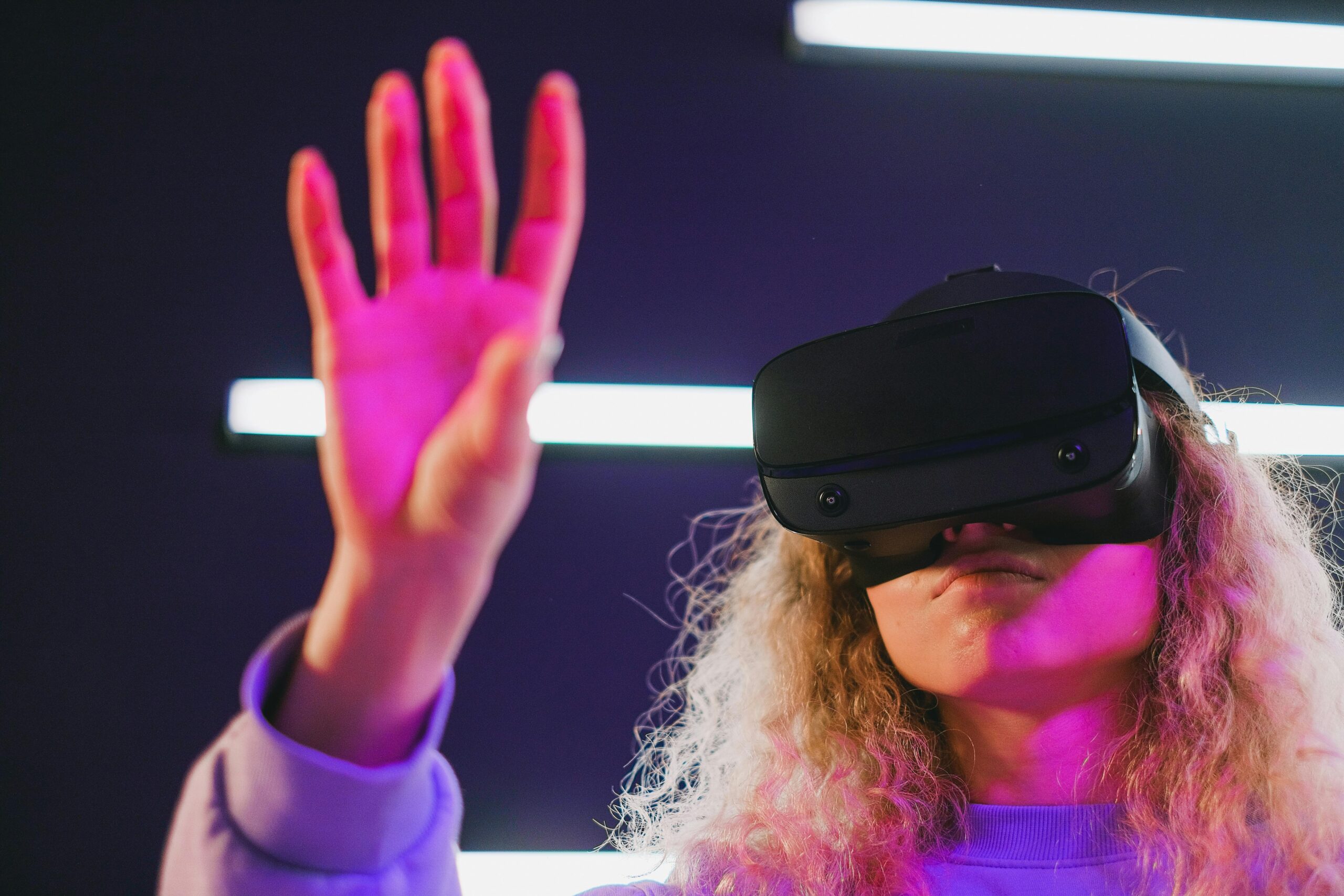
Emerging interaction paradigms introduce new timing considerations that will shape future sensory cue design. Voice interfaces, augmented reality, and gesture control each present unique temporal characteristics requiring adapted approaches.
Voice interfaces must balance response speed with processing accuracy. Immediate but incorrect responses frustrate users more than brief delays with accurate results. Strategic use of acknowledgment sounds and processing indicators manages expectations during the 1-2 second delay required for speech recognition and natural language processing.
Augmented reality applications face the challenge of synchronizing virtual elements with physical reality. Registration latency—the delay between camera capture and virtual overlay rendering—must remain below 20 milliseconds to prevent nausea-inducing misalignment. Achieving this timing requires sophisticated prediction algorithms and powerful processing capabilities.
Gesture control systems must distinguish intentional commands from incidental movements while providing immediate feedback. The temporal window for gesture recognition—typically 300-800 milliseconds—creates inherent delays that designers must accommodate through anticipatory feedback and smooth transitions.
🎯 Building a Sensory Timing Strategy for Your Product
Developing an effective sensory cue timing strategy begins with understanding your users, platform constraints, and product goals. Different applications require different timing priorities based on their unique characteristics and usage contexts.
Start by auditing existing timing characteristics across your application. Measure actual latencies for key interactions using performance profiling tools. Identify discrepancies between intended and actual timing, and prioritize improvements based on usage frequency and user impact.
Establish timing guidelines specific to your product that balance consistency with contextual appropriateness. Document target latencies, animation durations, and multi-modal synchronization requirements. These guidelines ensure coherent timing behaviors as your team expands features and functionality.
Invest in performance optimization infrastructure that supports consistently excellent timing. This includes efficient rendering pipelines, optimized asset loading, strategic caching, and robust error handling. Technical excellence forms the foundation enabling sophisticated timing strategies.
Continuously test and refine timing decisions through user research and analytics. What feels perfectly timed to designers might feel sluggish or rushed to actual users. Regular usability testing with diverse participants reveals timing preferences and identifies opportunities for improvement.
🌟 Transforming Ordinary Interactions Into Memorable Experiences
Mastering sensory cue timing elevates digital products from merely functional to genuinely delightful. When every interaction responds with perfectly orchestrated feedback, users develop trust, confidence, and emotional connection with your product. These accumulated micro-moments of satisfaction compound into loyalty, advocacy, and long-term success.
The investment in timing excellence pays dividends across every product metric. Users complete tasks faster with fewer errors. Engagement increases as interactions feel more rewarding. Retention improves as quality experiences create habits and preferences. The difference between good timing and excellent timing often determines whether products succeed or fade into obscurity.
As technology evolves and user expectations rise, timing precision becomes increasingly important for competitive differentiation. The companies that master sensory cue timing create products that feel magical—responsive, intelligent, and attuned to human needs. This mastery transforms interaction design from technical implementation into experiential craft that honors and enhances human capability.